Quantcast
Channel: Ionic Forum - Latest topics
Viewing all 71531 articles
Browse latest View live

Can built on ios

$
0
0

@cat4ionic wrote:

Ionc: 3.13.2
cordova: 7.1.0

the app serves directly.
when I try to build. the terminal return error message:

"> :heavy_multiplication_x: Running command - failed!

[ERROR] An error occurred while running cordova build ios (exit code 1):

    (truncated) ...
    tendance_report-blsxvbzxcypaabfbghukticnmmzh/Build/Intermediates/ArchiveIntermediates/Priority\
    attendance\
    report/IntermediateBuildFilesPath/UninstalledProducts/iphoneos/libCordova.a
    normal armv7\ arm64
         cd /Users/developer/Desktop/3/platforms/ios/CordovaLib
         export
    PATH="/Applications/Xcode.app/Contents/Developer/Platforms/iPhoneOS.platform/Developer/usr/bin:/Applications/Xcode.app/Contents/Developer/usr/bin:/Users/developer/Desktop/3/node_modules/.bin:/usr/local/bin:/usr/bin:/bin:/usr/sbin:/sbin"

    /Applications/Xcode.app/Contents/Developer/Toolchains/XcodeDefault.xctoolchain/usr/bin/libtool
    -static
    /Users/developer/Library/Developer/Xcode/DerivedData/Priority_attendance_report-blsxvbzxcypaabfbghukticnmmzh/Build/Intermediates/ArchiveIntermediates/Priority\
    attendance\
    report/IntermediateBuildFilesPath/CordovaLib.build/Debug-iphoneos/CordovaLib.build/Objects-normal/armv7/libCordova.a
    /Users/developer/Library/Developer/Xcode/DerivedData/Priority_attendance_report-blsxvbzxcypaabfbghukticnmmzh/Build/Intermediates/ArchiveIntermediates/Priority\
    attendance\
    report/IntermediateBuildFilesPath/CordovaLib.build/Debug-iphoneos/CordovaLib.build/Objects-normal/arm64/libCordova.a
    -o
    /Users/developer/Library/Developer/Xcode/DerivedData/Priority_attendance_report-blsxvbzxcypaabfbghukticnmmzh/Build/Intermediates/ArchiveIntermediates/Priority\
    attendance\
    report/IntermediateBuildFilesPath/UninstalledProducts/iphoneos/libCordova.a

    Strip
    /Users/developer/Library/Developer/Xcode/DerivedData/Priority_attendance_report-blsxvbzxcypaabfbghukticnmmzh/Build/Intermediates/ArchiveIntermediates/Priority\
    attendance\
    report/IntermediateBuildFilesPath/UninstalledProducts/iphoneos/libCordova.a
         cd /Users/developer/Desktop/3/platforms/ios/CordovaLib
         export
    PATH="/Applications/Xcode.app/Contents/Developer/Platforms/iPhoneOS.platform/Developer/usr/bin:/Applications/Xcode.app/Contents/Developer/usr/bin:/Users/developer/Desktop/3/node_modules/.bin:/usr/local/bin:/usr/bin:/bin:/usr/sbin:/sbin"

    /Applications/Xcode.app/Contents/Developer/Toolchains/XcodeDefault.xctoolchain/usr/bin/strip
    -S
    /Users/developer/Library/Developer/Xcode/DerivedData/Priority_attendance_report-blsxvbzxcypaabfbghukticnmmzh/Build/Intermediates/ArchiveIntermediates/Priority\
    attendance\
    report/IntermediateBuildFilesPath/UninstalledProducts/iphoneos/libCordova.a

    SetOwnerAndGroup developer:staff
    /Users/developer/Library/Developer/Xcode/DerivedData/Priority_attendance_report-blsxvbzxcypaabfbghukticnmmzh/Build/Intermediates/ArchiveIntermediates/Priority\
    attendance\
    report/IntermediateBuildFilesPath/UninstalledProducts/iphoneos/libCordova.a
         cd /Users/developer/Desktop/3/platforms/ios/CordovaLib
         export
    PATH="/Applications/Xcode.app/Contents/Developer/Platforms/iPhoneOS.platform/Developer/usr/bin:/Applications/Xcode.app/Contents/Developer/usr/bin:/Users/developer/Desktop/3/node_modules/.bin:/usr/local/bin:/usr/bin:/bin:/usr/sbin:/sbin"
         /usr/sbin/chown -RH developer:staff
    /Users/developer/Library/Developer/Xcode/DerivedData/Priority_attendance_report-blsxvbzxcypaabfbghukticnmmzh/Build/Intermediates/ArchiveIntermediates/Priority\
    attendance\
    report/IntermediateBuildFilesPath/UninstalledProducts/iphoneos/libCordova.a

    SetMode u+w,go-w,a+rX
    /Users/developer/Library/Developer/Xcode/DerivedData/Priority_attendance_report-blsxvbzxcypaabfbghukticnmmzh/Build/Intermediates/ArchiveIntermediates/Priority\
    attendance\
    report/IntermediateBuildFilesPath/UninstalledProducts/iphoneos/libCordova.a
         cd /Users/developer/Desktop/3/platforms/ios/CordovaLib
         export
    PATH="/Applications/Xcode.app/Contents/Developer/Platforms/iPhoneOS.platform/Developer/usr/bin:/Applications/Xcode.app/Contents/Developer/usr/bin:/Users/developer/Desktop/3/node_modules/.bin:/usr/local/bin:/usr/bin:/bin:/usr/sbin:/sbin"
         /bin/chmod -RH u+w,go-w,a+rX
    /Users/developer/Library/Developer/Xcode/DerivedData/Priority_attendance_report-blsxvbzxcypaabfbghukticnmmzh/Build/Intermediates/ArchiveIntermediates/Priority\
    attendance\
    report/IntermediateBuildFilesPath/UninstalledProducts/iphoneos/libCordova.a

    === BUILD TARGET Priority attendance report OF PROJECT Priority
    attendance report WITH CONFIGURATION Debug ===

    Check dependencies
    Signing for "Priority attendance report" requires a development team.
    Select a development team in the project editor.
    Code signing is required for product type 'Application' in SDK 'iOS
    10.3'

    ** ARCHIVE FAILED **


    The following build commands failed:
    Check dependencies
    (1 failure)
    Error: Error code 65 for command: xcodebuild with args:
    -xcconfig,/Users/developer/Desktop/3/platforms/ios/cordova/build-debug.xcconfig,-workspace,Priority
    attendance report.xcworkspace,-scheme,Priority attendance
    report,-configuration,Debug,-destination,generic/platform=iOS,-archivePath,Priority
    attendance
    report.xcarchive,archive,CONFIGURATION_BUILD_DIR=/Users/developer/Desktop/3/platforms/ios/build/device,SHARED_PRECOMPS_DIR=/Users/developer/Desktop/3/platforms/ios/build/sharedpch"

Posts: 1

Participants: 1

Read full topic


Ngx-translate.. translate.get stopped working all of a sudden

$
0
0

@StevenFrancis wrote:

Hello everybody,

I am new to ionic and I am developing my first application, pardon me for my poor English since it is not my mother tongue.

I had ngx-translate working and when I updated my package.json it stopped working. I searched for the issue and made it to work but I still have only one issue that it is not working.

I have a simple straight forward method to detect the current hour and depending on that it displays greeting
(Good morning/ Good afternoon / Good evening) in both English and Arabic.

The problem is that all the words get translated and display the value of the property except that method because I use translate.get(“Key”) as shown below :

 welcomeText(date) {
    debugger;
    if (date > 5 && date < 12) {
      this.translate.get('goodmorning').subscribe(d => this.welcome = d);
    }
    else if (date >= 12 && date < 17) {
      this.translate.get('goodafternoon').subscribe(d => this.welcome = d);
    }
    else {
      this.translate.get('goodevening').subscribe(d => this.welcome = d);
    }
  }

My en.json

{
  "readings": "READINGS",
  "groups": "GROUPS",
  "bookmarks": "BOOKMARKS",
  "repetitions": "Repetitions",
  "contradictions": "Contradictions",
  "conjunctions": "Conjunctions",
  "characters": "Characters",
  "goodmorning": "Good morning",
  "goodafternoon": "Good afternoon",
  "goodevening": "Good evening",
  "questionheader": "Question to think of"
}

My ar.json

{
  "readings": "قراءات",
  "groups": "مجموعات",
  "bookmarks": "ايات مختارة",
  "repetitions": "تكرار",
  "contradictions": "مضادات",
  "conjunctions": "أدوات الربط",
  "characters": "شخصيات",
  "goodmorning": "صباح الخير",
  "goodafternoon": "مساء الخير",
  "goodevening": "مساء الخير",
  "questionheader": "سؤال للتفكير"
}

my app.module.ts

import { HttpClientModule, HttpClient } from '@angular/common/http';
import { TranslateModule, TranslateLoader } from '@ngx-translate/core';
import { TranslateHttpLoader } from '@ngx-translate/http-loader';
  imports: [
    HttpModule,
    BrowserModule,
    HttpClientModule,
    AutosizeModule,
    // ResourceModule.forRoot(),
    // IonicModule.forRoot(MyApp),
    IonicModule.forRoot(MyApp, { scrollAssist: false, autoFocusAssist: false }),
    TranslateModule.forRoot({
      loader: {
        provide: TranslateLoader,
        useFactory: (createTranslateLoader),
        deps: [HttpClient]
      }
    })

  ],```


export function createTranslateLoader(httpClient: HttpClient) {
return new TranslateHttpLoader(httpClient, ‘./assets/i18n/’, ‘.json’);
}```

My app.component.ts

import { Component, ViewChild } from '@angular/core';
import { Platform, Nav } from 'ionic-angular';
import { StatusBar } from '@ionic-native/status-bar';
import { SplashScreen } from '@ionic-native/splash-screen';
import { Keyboard } from '@ionic-native/keyboard';
import { ReadingAppManager } from '../SourceCode/ReadingAppManager';
import { TranslateService } from '@ngx-translate/core';

import { TabsPage } from '../pages/tabs/tabs';

@Component({
  templateUrl: 'app.html'
})
export class MyApp {
  @ViewChild(Nav) nav: Nav;
  rootPage: any = TabsPage;

  constructor(platform: Platform, statusBar: StatusBar, splashScreen: SplashScreen, public readingAppManager: ReadingAppManager, keyboard: Keyboard, translate: TranslateService) {
    platform.ready().then(() => {
      // Okay, so the platform is ready and our plugins are available.
      // Here you can do any higher level native things you might need.
      debugger;
      statusBar.styleDefault();
      splashScreen.hide();
      keyboard.disableScroll(false);
      this.readingAppManager.OnApplicationStart();
      translate.setDefaultLang('en');

      translate.use('en');
    });
  }
}

my package.json

{
    "name": "newreading",
    "version": "0.0.1",
    "author": "Ionic Framework",
    "homepage": "http://ionicframework.com/",
    "private": true,
    "scripts": {
        "clean": "ionic-app-scripts clean",
        "build": "ionic-app-scripts build",
        "lint": "ionic-app-scripts lint",
        "ionic:build": "ionic-app-scripts build",
        "ionic:serve": "ionic-app-scripts serve"
    },
    "dependencies": {
        "@angular/common": "4.4.3",
        "@angular/compiler": "4.4.3",
        "@angular/compiler-cli": "4.4.3",
        "@angular/core": "4.4.3",
        "@angular/forms": "4.4.3",
        "@angular/http": "4.4.3",
        "@angular/platform-browser": "4.4.3",
        "@angular/platform-browser-dynamic": "4.4.3",
        "@ionic-native/core": "4.3.0",
        "@ionic-native/dialogs": "4.3.1",
        "@ionic-native/http": "4.3.1",
        "@ionic-native/keyboard": "4.3.2",
        "@ionic-native/native-storage": "4.3.1",
        "@ionic-native/social-sharing": "4.3.1",
        "@ionic-native/spinner-dialog": "4.3.1",
        "@ionic-native/splash-screen": "4.3.0",
        "@ionic-native/status-bar": "4.3.0",
        "@ionic/storage": "2.0.1",
        "@ngx-translate/core": "8.0.0",
        "@ngx-translate/http-loader": "2.0.0",
        "angular2-autosize": "git+https://github.com/chrum/angular2-autosize.git",
        "cordova-android": "6.2.3",
        "cordova-plugin-advanced-http": "1.6.1",
        "cordova-plugin-compat": "1.0.0",
        "cordova-plugin-console": "1.0.5",
        "cordova-plugin-device": "1.1.4",
        "cordova-plugin-dialogs": "1.3.3",
        "cordova-plugin-file": "4.3.3",
        "cordova-plugin-native-spinner": "1.1.3",
        "cordova-plugin-nativestorage": "2.2.2",
        "cordova-plugin-splashscreen": "4.0.3",
        "cordova-plugin-statusbar": "2.2.2",
        "cordova-plugin-whitelist": "1.3.1",
        "cordova-plugin-x-socialsharing": "5.2.0",
        "es6-promise-plugin": "4.1.0",
        "http-client": "^4.3.1",
        "ionic-angular": "3.7.1",
        "ionic-plugin-keyboard": "2.2.1",
        "ionic2-extend-alert": "0.0.2",
        "ionicons": "3.0.0",
        "ngx-resource": "3.6.1",
        "rxjs": "5.4.3",
        "sw-toolbox": "3.6.0",
        "zone.js": "0.8.18"
    },
    "devDependencies": {
        "@ionic/app-scripts": "3.0.0",
        "typescript": "2.3.4"
    },
    "description": "An Ionic project",
    "cordova": {
        "plugins": {
            "cordova-plugin-nativestorage": {},
            "cordova-plugin-x-socialsharing": {},
            "cordova-plugin-dialogs": {},
            "cordova-plugin-advanced-http": {},
            "cordova-plugin-console": {},
            "cordova-plugin-device": {},
            "cordova-plugin-native-spinner": {},
            "cordova-plugin-splashscreen": {},
            "cordova-plugin-statusbar": {},
            "cordova-plugin-whitelist": {},
            "ionic-plugin-keyboard": {}
        },
        "platforms": [
            "android"
        ]
    }
}

Looking forward to find a solution.
Thanks in advance.

Best regards,
Steven Francis.

Posts: 1

Participants: 1

Read full topic

Dashboard build keep failing

$
0
0

@tplocic20 wrote:

Hi,

I’ve started using Ionic Dashbord and my app build keep on failing.
First build with “clear” tabs example succedeed, but after adding few features it won’t build. On my PC everything works fine. This is the latest build log:

https://pastebin.com/JuFT7D08

Posts: 1

Participants: 1

Read full topic

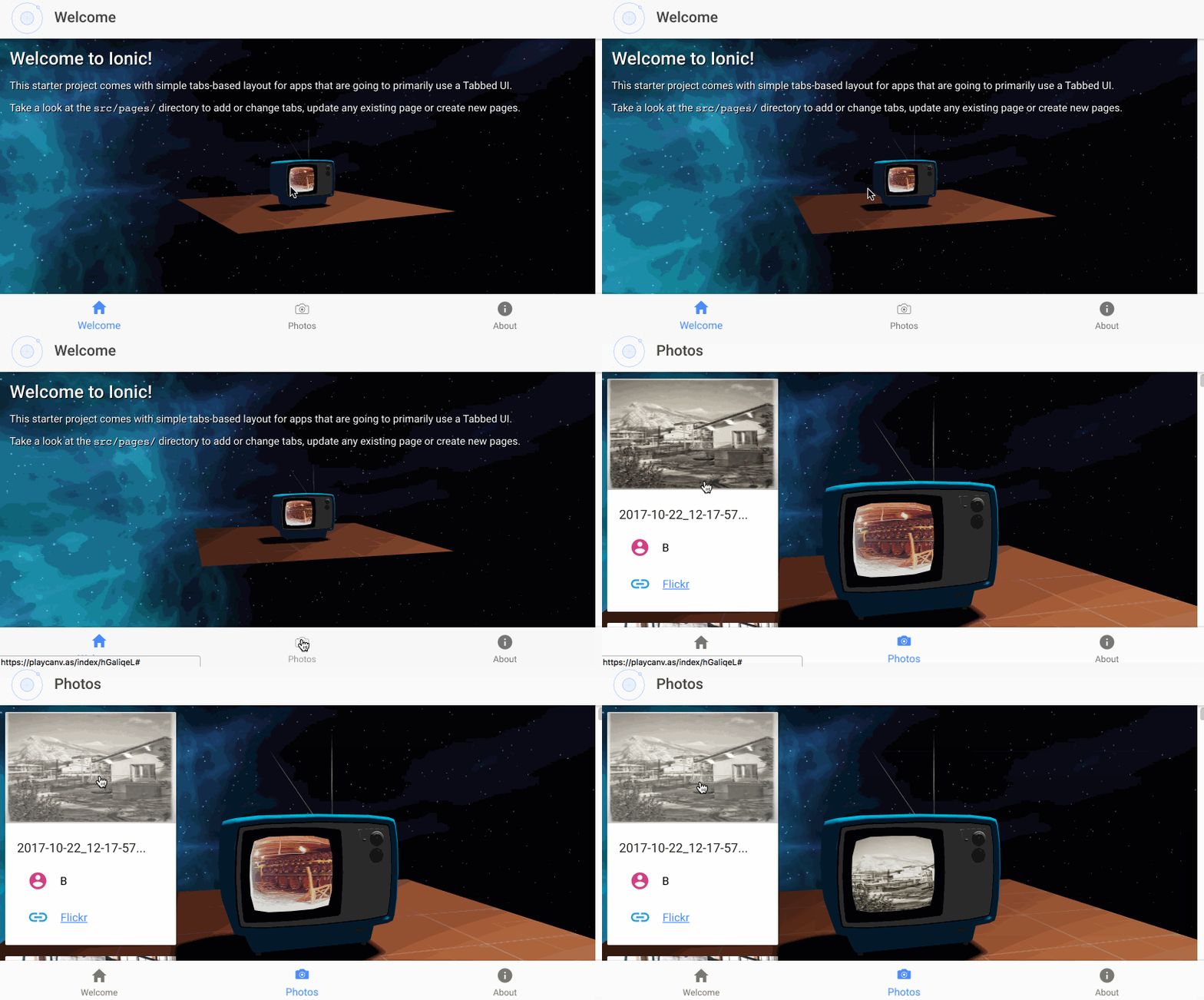
Using Ionic in PlayCanvas

$
0
0

@PlayingInCanvas wrote:

Hi!

I have been an active Ionic user since v1, though never actually posted on the forums.

I wrote a tutorial on how to use Ionic with PlayCanvas, a WebGL engine.

PlayCanvas provides a great framework to author and deliver 2D/3D/VR web experiences.
Ionic provides a great tool for UI and an awesome UX through its components.

Let me know if you find this useful! The tutorial references a template project as well for anyone interested in replicating this.

Posts: 1

Participants: 1

Read full topic

Deployed App Cache Size

$
0
0

@hiraddaneshvar wrote:

I have an app on Google Play and App Store. It simply connects to my website and shows recent news. Each news item has an image and some text. I have checked my app cache size on an android device and it is getting HUGE! What should I do? Is there a way to force the app not to cache anything?

Posts: 1

Participants: 1

Read full topic

When click button, adding input to list

$
0
0

@eonurcan wrote:

Hi everyone, I’m newbie. I want to create a list, according to inputs.

15

I put my input and add button. However, I couldn’t add items into list according to inputs.

my html

<ion-view title="Bildirimler" id="page11">
  <ion-content padding="true" class="has-header">
<form>
	<div class="list">
		<label class="item item-input">
		<input type="text" placeholder="Notu giriniz.." ng-model="todo.name"></label>
	</div>
</form>
<div class="buttons"><button class="button" ng-click="addTodo()">ADD</button></div>
<ion-list show-delete= "data.showDelete">
  <ion-item ng-repeat="todo in todos">
  	{{todo.name}}
  </ion-item>
</ion-list>
  </ion-content>
</ion-view>

my controller

.controller('bildirimlerCtrl', ['$scope', '$stateParams', '$ionicAuth', '$ionicUser', '$state', '$ionicModal',
function ($scope, $stateParams) {
$scope.data = {
    showDelete: false
}
$scope.todos=[
{name: 'clean the kitchen'},
{name: 'clean the room'},
]
$scope.addTodo = function(){
    $scope.todos.push({name: ""})
}
}])

How can I do that? Thank you for help from now :slight_smile:

Posts: 1

Participants: 1

Read full topic

Send a form to an email

$
0
0

@aelhobbi wrote:

Hi,

I just want to build a very primitive form with let’s say ( name and message ). When the user click on submit, the hole form should be emailed to a specific email. How can I achieve this?

Thanks
Ayoub

Posts: 1

Participants: 1

Read full topic

Can't override index.html

$
0
0

@giahuy10 wrote:

Hi,
I’m trying to add Google API into my IONIC project. I tried to added this script into www/index.html

<script src="https://maps.googleapis.com/maps/api/js?key=AIzaSyAcrOcaHxKGtFfZh8gbuk3DMJ3XVh6ATVY&libraries=places"
        ></script>

This script worked but each time I run ionic serve or ionic cordova run android, this script is removed from index.html
This is my IONIC info

cli packages: (/usr/lib/node_modules)

    @ionic/cli-utils  : 1.13.1
    ionic (Ionic CLI) : 3.13.2

global packages:

    cordova (Cordova CLI) : 7.1.0

local packages:

    @ionic/app-scripts : 3.0.1
    Cordova Platforms  : android 6.3.0
    Ionic Framework    : ionic-angular 3.7.1

System:

    Android SDK Tools : 26.1.1
    Node              : v6.11.4
    npm               : 3.10.10
    OS                : Linux 4.10

Misc:

    backend : pro

Posts: 1

Participants: 1

Read full topic


Ionic 3: Error received when running Ionic cordova build ios

$
0
0

@Jfrevert wrote:

When I run ionic cordova build ios or ionic cordova build ios --prod I receive the following error:
[WARN] Error occurred during command execution from a CLI plugin (@ionic/cli-plugin-cordova). Your plugins may be out of date. TypeError: env.runcmd is not a function and at the bottom of the trace: (node:18696) UnhandledPromiseRejectionWarning: Unhandled promise rejection (rejection id: 1): Error: channel closed (node:18696) DeprecationWarning: Unhandled promise rejections are deprecated. In the future, promise rejections that are not handled will terminate the Node.js process with a non-zero exit code.

I have tried all the steps in https://github.com/ionic-team/ionic/issues/1256. Uninstalled, reinstalled xcode, switched swift language version to 3.2 from 4.0. I have run ionic cordova platform remove ios and then ionic cordova platform add ios.

I have tried
npm install --save --save-exact ionic@3.6.0
and am met with
├── UNMET PEER DEPENDENCY @angular/common@4.1.2 ├── UNMET PEER DEPENDENCY @angular/compiler@4.1.2 ├── UNMET PEER DEPENDENCY @angular/core@4.1.2 ├── UNMET PEER DEPENDENCY @angular/platform-browser@4.1.2 ├── ionic@3.6.0 invalid └── UNMET PEER DEPENDENCY ionic-angular@3.3.0. I have tried npm install ionic-angular and am met with the above unmet peer dependency message. Also, when I try to update any of the packages mentioned in the above unmet peer dependency message, I am met with the same unmet peer dependency message.

I have also tried uninstalling and reinstalling ionic and cordova, but no dice.

I have tried
npm install --save-dev @ionic/cli-plugin-cordova@1.4.1
and
npm install --save-dev @ionic/cli-plugin-cordova@1.4.1.
I am met with
├── UNMET PEER DEPENDENCY @angular/common@4.1.2 ├── UNMET PEER DEPENDENCY @angular/compiler@4.1.2 ├── UNMET PEER DEPENDENCY @angular/core@4.1.2 ├── UNMET PEER DEPENDENCY @angular/platform-browser@4.1.2 ├─┬ @ionic/cli-plugin-cordova@1.4.1 invalid │ ├─┬ @ionic/cli-utils@1.5.0 │ │ ├── archiver@1.3.0 │ │ ├── cross-spawn@4.0.2 │ │ ├─┬ string-width@2.1.1 │ │ │ └── is-fullwidth-code-point@2.0.0 │ │ └─┬ strip-ansi@4.0.0 │ │ └── ansi-regex@3.0.0 │ └─┬ chalk@2.2.0 │ ├── ansi-styles@3.2.0 │ └─┬ supports-color@4.5.0 │ └── has-flag@2.0.0 └── UNMET PEER DEPENDENCY ionic-angular@3.3.0

I have tried npm install --save --save-exact @ionic/cli-plugin-cordova@1.5.0 and same unmet peer dependency message.

I have also tried npm i -g ionic@latest and ionic config set -g daemon.updates true
then when I run ionic cordova build ios, I am prompted to update cli-plugin-cordova, refuse, and continue. I am met with
`[ERROR] Cordova encountered an error.
You may get more insight by running the Cordova command above directly.

[ERROR] An error occurred while running cordova build ios (exit code 1):

    (truncated) ... ODE_DEVELOPER_USR_PATH=/Applications/Xcode.app/Contents/Developer/usr/bin/..
        /Applications/Xcode.app/Contents/Developer/usr/bin/ibtool --errors --warnings --notices --module __PROJECT_NAME__ --output-partial-info-plist /Users/justinfrevert/Library/Developer/Xcode/DerivedData/FirebaseAuth-bkjcmbdujwgqqxfzcplddubqwlad/Build/Intermediates.noindex/FirebaseAuth.build/Debug-iphonesimulator/__PROJECT_NAME__.build/CDVLaunchScreen-SBPartialInfo.plist --auto-activate-custom-fonts --target-device iphone --target-device ipad --minimum-deployment-target 8.0 --output-format human-readable-text --compilation-directory /Users/justinfrevert/Library/Developer/Xcode/DerivedData/FirebaseAuth-bkjcmbdujwgqqxfzcplddubqwlad/Build/Intermediates.noindex/FirebaseAuth.build/Debug-iphonesimulator/__PROJECT_NAME__.build /Users/justinfrevert/Desktop/AceAdz-App/app-copy/platforms/ios/__PROJECT_NAME__/CDVLaunchScreen.storyboard
    /* com.apple.ibtool.errors */
    /Users/justinfrevert/Desktop/AceAdz-App/app-copy/platforms/ios/__PROJECT_NAME__/CDVLaunchScreen.storyboard: error: Interface Builder could not open the document CDVLaunchScreen.storyboard" because it does not exist.

    CompileAssetCatalog build/emulator/__PROJECT_NAME__.app __PROJECT_NAME__/Images.xcassets
        cd /Users/justinfrevert/Desktop/AceAdz-App/app-copy/platforms/ios
        export PATH="/Applications/Xcode.app/Contents/Developer/Platforms/iPhoneSimulator.platform/Developer/usr/bin:/Applications/Xcode.app/Contents/Developer/usr/bin:/Users/justinfrevert/.nvm/versions/node/v7.7.1/bin:/Library/Frameworks/Python.framework/Versions/3.6/bin:/Library/Frameworks/Python.framework/Versions/3.6/bin:/Library/Frameworks/Python.framework/Versions/3.6/bin:/Library/Frameworks/Python.framework/Versions/3.6/bin:/Library/Frameworks/Python.framework/Versions/3.6/bin:/Users/justinfrevert/anaconda/bin:/opt/local/bin:/opt/local/sbin:/Library/Frameworks/Python.framework/Versions/3.6/bin:/usr/local/bin:/usr/bin:/bin:/usr/sbin:/sbin:/usr/local/go/bin:/Library/Frameworks/Mono.framework/Versions/Current/Commands:/Applications/Wireshark.app/Contents/MacOS"
        /Applications/Xcode.app/Contents/Developer/usr/bin/actool --output-format human-readable-text --notices --warnings --export-dependency-info /Users/justinfrevert/Library/Developer/Xcode/DerivedData/FirebaseAuth-bkjcmbdujwgqqxfzcplddubqwlad/Build/Intermediates.noindex/FirebaseAuth.build/Debug-iphonesimulator/__PROJECT_NAME__.build/assetcatalog_dependencies --output-partial-info-plist /Users/justinfrevert/Library/Developer/Xcode/DerivedData/FirebaseAuth-bkjcmbdujwgqqxfzcplddubqwlad/Build/Intermediates.noindex/FirebaseAuth.build/Debug-iphonesimulator/__PROJECT_NAME__.build/assetcatalog_generated_info.plist --app-icon AppIcon --launch-image LaunchImage --compress-pngs --enable-on-demand-resources YES --filter-for-device-model iPhone6,1 --filter-for-device-os-version 11.0.1 --sticker-pack-identifier-prefix .sticker-pack. --target-device iphone --target-device ipad --minimum-deployment-target 8.0 --platform iphonesimulator --product-type com.apple.product-type.application --compile /Users/justinfrevert/Desktop/AceAdz-App/app-copy/platforms/ios/build/emulator/__PROJECT_NAME__.app /Users/justinfrevert/Desktop/AceAdz-App/app-copy/platforms/ios/__PROJECT_NAME__/Images.xcassets
    /* com.apple.actool.errors */
    /Users/justinfrevert/Desktop/AceAdz-App/app-copy/platforms/ios/__PROJECT_NAME__/Images.xcassets: error: None of the input catalogs contained a matching stickers icon set or app icon set named  "AppIcon".
    /Users/justinfrevert/Desktop/AceAdz-App/app-copy/platforms/ios/__PROJECT_NAME__/Images.xcassets: error: None of the input catalogs contained a matching launch image set named  "LaunchImage".
    /* com.apple.actool.notices */
    /Users/justinfrevert/Desktop/AceAdz-App/app-copy/platforms/ios/__PROJECT_NAME__/Images.xcassets: warning: Failed to read file attributes for "/Users/justinfrevert/Desktop/AceAdz-App/app-copy/platforms/ios/__PROJECT_NAME__/Images.xcassets"
        Failure Reason: No such file or directory
    /* com.apple.actool.compilation-results */
    /Users/justinfrevert/Library/Developer/Xcode/DerivedData/FirebaseAuth-bkjcmbdujwgqqxfzcplddubqwlad/Build/Intermediates.noindex/FirebaseAuth.build/Debug-iphonesimulator/__PROJECT_NAME__.build/assetcatalog_generated_info.plist


    ** BUILD FAILED **


    The following build commands failed:
    	CompileXIB __PROJECT_NAME__/Classes/MainViewController.xib
    	CompileStoryboard __PROJECT_NAME__/CDVLaunchScreen.storyboard
    (2 failures)
    Error: Error code 65 for command: xcodebuild with args: -xcconfig,/Users/justinfrevert/Desktop/AceAdz-App/app-copy/platforms/ios/cordova/build-debug.xcconfig,-workspace,FirebaseAuth.xcworkspace,-scheme,FirebaseAuth,-configuration,Debug,-sdk,iphonesimulator,-destination,platform=iOS Simulator,name=iPhone 5s,build,CONFIGURATION_BUILD_DIR=/Users/justinfrevert/Desktop/AceAdz-App/app-copy/platforms/ios/build/emulator,SHARED_PRECOMPS_DIR=/Users/justinfrevert/Desktop/AceAdz-App/app-copy/platforms/ios/build/sharedpch`

I run cordova build ios and get:
`=== BUILD TARGET PROJECT_NAME OF PROJECT FirebaseAuth WITH CONFIGURATION Debug ===

Check dependencies

PhaseScriptExecution Copy\ www\ directory /Users/justinfrevert/Library/Developer/Xcode/DerivedData/FirebaseAuth-bkjcmbdujwgqqxfzcplddubqwlad/Build/Intermediates.noindex/FirebaseAuth.build/Debug-iphonesimulator/PROJECT_NAME.build/Script-304B58A110DAC018002A0835.sh
cd /Users/justinfrevert/Desktop/AceAdz-App/app-copy/platforms/ios
/bin/sh -c /Users/justinfrevert/Library/Developer/Xcode/DerivedData/FirebaseAuth-bkjcmbdujwgqqxfzcplddubqwlad/Build/Intermediates.noindex/FirebaseAuth.build/Debug-iphonesimulator/PROJECT_NAME.build/Script-304B58A110DAC018002A0835.sh

CompileStoryboard PROJECT_NAME/CDVLaunchScreen.storyboard
cd /Users/justinfrevert/Desktop/AceAdz-App/app-copy/platforms/ios
export PATH="/Applications/Xcode.app/Contents/Developer/Platforms/iPhoneSimulator.platform/Developer/usr/bin:/Applications/Xcode.app/Contents/Developer/usr/bin:/Users/justinfrevert/.nvm/versions/node/v7.7.1/bin:/Library/Frameworks/Python.framework/Versions/3.6/bin:/Library/Frameworks/Python.framework/Versions/3.6/bin:/Library/Frameworks/Python.framework/Versions/3.6/bin:/Library/Frameworks/Python.framework/Versions/3.6/bin:/Library/Frameworks/Python.framework/Versions/3.6/bin:/Users/justinfrevert/anaconda/bin:/opt/local/bin:/opt/local/sbin:/Library/Frameworks/Python.framework/Versions/3.6/bin:/usr/local/bin:/usr/bin:/bin:/usr/sbin:/sbin:/usr/local/go/bin:/Library/Frameworks/Mono.framework/Versions/Current/Commands:/Applications/Wireshark.app/Contents/MacOS"
export XCODE_DEVELOPER_USR_PATH=/Applications/Xcode.app/Contents/Developer/usr/bin/…
/Applications/Xcode.app/Contents/Developer/usr/bin/ibtool --errors --warnings --notices --module PROJECT_NAME --output-partial-info-plist /Users/justinfrevert/Library/Developer/Xcode/DerivedData/FirebaseAuth-bkjcmbdujwgqqxfzcplddubqwlad/Build/Intermediates.noindex/FirebaseAuth.build/Debug-iphonesimulator/PROJECT_NAME.build/CDVLaunchScreen-SBPartialInfo.plist --auto-activate-custom-fonts --target-device iphone --target-device ipad --minimum-deployment-target 8.0 --output-format human-readable-text --compilation-directory /Users/justinfrevert/Library/Developer/Xcode/DerivedData/FirebaseAuth-bkjcmbdujwgqqxfzcplddubqwlad/Build/Intermediates.noindex/FirebaseAuth.build/Debug-iphonesimulator/PROJECT_NAME.build /Users/justinfrevert/Desktop/AceAdz-App/app-copy/platforms/ios/PROJECT_NAME/CDVLaunchScreen.storyboard
/* com.apple.ibtool.errors */
/Users/justinfrevert/Desktop/AceAdz-App/app-copy/platforms/ios/PROJECT_NAME/CDVLaunchScreen.storyboard: error: Interface Builder could not open the document CDVLaunchScreen.storyboard" because it does not exist.

CompileAssetCatalog build/emulator/PROJECT_NAME.app PROJECT_NAME/Images.xcassets
cd /Users/justinfrevert/Desktop/AceAdz-App/app-copy/platforms/ios
export PATH="/Applications/Xcode.app/Contents/Developer/Platforms/iPhoneSimulator.platform/Developer/usr/bin:/Applications/Xcode.app/Contents/Developer/usr/bin:/Users/justinfrevert/.nvm/versions/node/v7.7.1/bin:/Library/Frameworks/Python.framework/Versions/3.6/bin:/Library/Frameworks/Python.framework/Versions/3.6/bin:/Library/Frameworks/Python.framework/Versions/3.6/bin:/Library/Frameworks/Python.framework/Versions/3.6/bin:/Library/Frameworks/Python.framework/Versions/3.6/bin:/Users/justinfrevert/anaconda/bin:/opt/local/bin:/opt/local/sbin:/Library/Frameworks/Python.framework/Versions/3.6/bin:/usr/local/bin:/usr/bin:/bin:/usr/sbin:/sbin:/usr/local/go/bin:/Library/Frameworks/Mono.framework/Versions/Current/Commands:/Applications/Wireshark.app/Contents/MacOS"
/Applications/Xcode.app/Contents/Developer/usr/bin/actool --output-format human-readable-text --notices --warnings --export-dependency-info /Users/justinfrevert/Library/Developer/Xcode/DerivedData/FirebaseAuth-bkjcmbdujwgqqxfzcplddubqwlad/Build/Intermediates.noindex/FirebaseAuth.build/Debug-iphonesimulator/PROJECT_NAME.build/assetcatalog_dependencies --output-partial-info-plist /Users/justinfrevert/Library/Developer/Xcode/DerivedData/FirebaseAuth-bkjcmbdujwgqqxfzcplddubqwlad/Build/Intermediates.noindex/FirebaseAuth.build/Debug-iphonesimulator/PROJECT_NAME.build/assetcatalog_generated_info.plist --app-icon AppIcon --launch-image LaunchImage --compress-pngs --enable-on-demand-resources YES --filter-for-device-model iPhone6,1 --filter-for-device-os-version 11.0.1 --sticker-pack-identifier-prefix .sticker-pack. --target-device iphone --target-device ipad --minimum-deployment-target 8.0 --platform iphonesimulator --product-type com.apple.product-type.application --compile /Users/justinfrevert/Desktop/AceAdz-App/app-copy/platforms/ios/build/emulator/PROJECT_NAME.app /Users/justinfrevert/Desktop/AceAdz-App/app-copy/platforms/ios/PROJECT_NAME/Images.xcassets
/* com.apple.actool.errors /
/Users/justinfrevert/Desktop/AceAdz-App/app-copy/platforms/ios/PROJECT_NAME/Images.xcassets: error: None of the input catalogs contained a matching stickers icon set or app icon set named “AppIcon”.
/Users/justinfrevert/Desktop/AceAdz-App/app-copy/platforms/ios/PROJECT_NAME/Images.xcassets: error: None of the input catalogs contained a matching launch image set named “LaunchImage”.
/
com.apple.actool.notices /
/Users/justinfrevert/Desktop/AceAdz-App/app-copy/platforms/ios/PROJECT_NAME/Images.xcassets: warning: Failed to read file attributes for "/Users/justinfrevert/Desktop/AceAdz-App/app-copy/platforms/ios/PROJECT_NAME/Images.xcassets"
Failure Reason: No such file or directory
/
com.apple.actool.compilation-results */
/Users/justinfrevert/Library/Developer/Xcode/DerivedData/FirebaseAuth-bkjcmbdujwgqqxfzcplddubqwlad/Build/Intermediates.noindex/FirebaseAuth.build/Debug-iphonesimulator/PROJECT_NAME.build/assetcatalog_generated_info.plist

CompileXIB PROJECT_NAME/Classes/MainViewController.xib
cd /Users/justinfrevert/Desktop/AceAdz-App/app-copy/platforms/ios
export PATH="/Applications/Xcode.app/Contents/Developer/Platforms/iPhoneSimulator.platform/Developer/usr/bin:/Applications/Xcode.app/Contents/Developer/usr/bin:/Users/justinfrevert/.nvm/versions/node/v7.7.1/bin:/Library/Frameworks/Python.framework/Versions/3.6/bin:/Library/Frameworks/Python.framework/Versions/3.6/bin:/Library/Frameworks/Python.framework/Versions/3.6/bin:/Library/Frameworks/Python.framework/Versions/3.6/bin:/Library/Frameworks/Python.framework/Versions/3.6/bin:/Users/justinfrevert/anaconda/bin:/opt/local/bin:/opt/local/sbin:/Library/Frameworks/Python.framework/Versions/3.6/bin:/usr/local/bin:/usr/bin:/bin:/usr/sbin:/sbin:/usr/local/go/bin:/Library/Frameworks/Mono.framework/Versions/Current/Commands:/Applications/Wireshark.app/Contents/MacOS"
export XCODE_DEVELOPER_USR_PATH=/Applications/Xcode.app/Contents/Developer/usr/bin/…
/Applications/Xcode.app/Contents/Developer/usr/bin/ibtool --errors --warnings --notices --module PROJECT_NAME --output-partial-info-plist /Users/justinfrevert/Library/Developer/Xcode/DerivedData/FirebaseAuth-bkjcmbdujwgqqxfzcplddubqwlad/Build/Intermediates.noindex/FirebaseAuth.build/Debug-iphonesimulator/PROJECT_NAME.build/MainViewController-PartialInfo.plist --auto-activate-custom-fonts --target-device iphone --target-device ipad --minimum-deployment-target 8.0 --output-format human-readable-text --compile /Users/justinfrevert/Desktop/AceAdz-App/app-copy/platforms/ios/build/emulator/PROJECT_NAME.app/MainViewController.nib /Users/justinfrevert/Desktop/AceAdz-App/app-copy/platforms/ios/PROJECT_NAME/Classes/MainViewController.xib
/* com.apple.ibtool.errors */
/Users/justinfrevert/Desktop/AceAdz-App/app-copy/platforms/ios/PROJECT_NAME/Classes/MainViewController.xib: error: Interface Builder could not open the document MainViewController.xib" because it does not exist.

** BUILD FAILED **

The following build commands failed:
CompileStoryboard PROJECT_NAME/CDVLaunchScreen.storyboard
CompileAssetCatalog build/emulator/PROJECT_NAME.app PROJECT_NAME/Images.xcassets
CompileXIB PROJECT_NAME/Classes/MainViewController.xib
(3 failures)
Error: Error code 65 for command: xcodebuild with args: -xcconfig,/Users/justinfrevert/Desktop/AceAdz-App/app-copy/platforms/ios/cordova/build-debug.xcconfig,-workspace,FirebaseAuth.xcworkspace,-scheme,FirebaseAuth,-configuration,Debug,-sdk,iphonesimulator,-destination,platform=iOS Simulator,name=iPhone 5s,build,CONFIGURATION_BUILD_DIR=/Users/justinfrevert/Desktop/AceAdz-App/app-copy/platforms/ios/build/emulator,SHARED_PRECOMPS_DIR=/Users/justinfrevert/Desktop/AceAdz-App/app-copy/platforms/ios/build/sharedpch`.

I then try to run ionic cordova build ios --prod, but elect to update ionic cli plugin cordova 1.5.0 => 1.6.2… and then am met with the original “TypeError: env.runcmd is not a function” error.

output of running ionic info
`global packages:

@ionic/cli-utils : 1.2.0
Cordova CLI      : 6.5.0
Ionic CLI        : 3.2.0

local packages:

@ionic/app-scripts : 1.3.7
Cordova Platforms  : ios 4.3.1
Ionic Framework    : ionic-angular 3.3.0

System:

Node       : v7.7.1
OS         : macOS Sierra
Xcode      : Xcode 9.0.1 Build version 9A1004
ios-deploy : 1.9.2
ios-sim    : 5.0.13`

Posts: 1

Participants: 1

Read full topic

Change Hardware Back Button

$
0
0

@Roflm wrote:

Hello everyone,
I want to change the hardware back button behavior depending on wich page of the app I’m using: I want to go back at the homepage for all the pages except for the homepage, where I want the back button that closes the app,

How can I do that?
Thanks for your support.

Alessandro

Posts: 1

Participants: 1

Read full topic

Ionic View app - Android works fine, iOS not

$
0
0

@Macwas wrote:

Hi all!

I recently started using Ionic View, uploaded the code initially created with ionic2 to Ionic View. This worked fine on Android device, but on iOS11 device I just see plain HTML.

I upgrade to Ionic-angular 3, the same again, tested with ionic serve, What can be the problem? What info do I need to provide?

ionic info:
cli packages: (C:\Users\mac\AppData\Roaming\npm\node_modules)

@ionic/cli-utils  : 1.13.1
ionic (Ionic CLI) : 3.13.2

global packages:

cordova (Cordova CLI) : 6.5.0

local packages:

@ionic/app-scripts : 3.0.1
Cordova Platforms  : android 6.2.2 ios 4.2.1
Ionic Framework    : ionic-angular 3.7.1

System:

Android SDK Tools : 26.1.1
Node              : v6.11.0
npm               : 5.5.1
OS                : Windows 8.1

Misc:

backend : legacy

package.json:{
“name”: “io.cordova.myappaec070”,
“author”: “”,
“homepage”: “”,
“private”: true,
“scripts”: {
“clean”: “ionic-app-scripts clean”,
“build”: “ionic-app-scripts build”,
“ionic:build”: “ionic-app-scripts build”,
“ionic:serve”: “ionic-app-scripts serve”,
“watch”: “ionic-app-scripts watch”
},
“dependencies”: {
"@angular/common": “4.4.3”,
"@angular/compiler": “4.4.3”,
"@angular/compiler-cli": “4.4.3”,
"@angular/core": “4.4.3”,
"@angular/forms": “4.4.3”,
"@angular/http": “4.4.3”,
"@angular/platform-browser": “4.4.3”,
"@angular/platform-browser-dynamic": “4.4.3”,
"@ionic-native/call-number": “^4.3.2”,
"@ionic-native/core": “4.3.1”,
"@ionic-native/splash-screen": “^4.3.1”,
"@ionic-native/status-bar": “^4.3.1”,
"@ionic/storage": “2.0.1”,
“cordova-android”: “^6.2.2”,
“ion-multi-picker”: “^2.1.0”,
“ionic-angular”: “3.7.1”,
“ionicons”: “3.0.0”,
“jquery”: “^3.2.1”,
“rxjs”: “5.4.3”,
“slick-carousel”: “^1.7.1”,
“sw-toolbox”: “3.6.0”,
“zone.js”: “0.8.18”
},
“devDependencies”: {
"@ionic/app-scripts": “^3.0.0”,
“typescript”: “2.3.4”
},
“description”: “Ionic2Tabs: An Ionic project”,
“cordovaPlugins”: [
“cordova-plugin-whitelist”,
“cordova-plugin-console”,
“cordova-plugin-statusbar”,
“cordova-plugin-device”,
“cordova-plugin-splashscreen”,
“ionic-plugin-keyboard”
],
“cordovaPlatforms”: [],
"-vs-binding": {
“BeforeBuild”: [
“ionic:build”
]
}
}

config.xml

<?xml version='1.0' encoding='utf-8'?> Kalkulator An Ionic Framework and Cordova project for Visual Studio Maciej W Ionic 2 Tabs 6.3.1

Posts: 1

Participants: 1

Read full topic

Error: Cannot find module "dgram" when using node-ssdp

$
0
0

@Karthhic wrote:

I am trying to use SSDP discovery for esp devices. but when i use node-ssdp library in my nodejs its working, but when i try to use it in ionic its showing this error Error: Cannot find module “dgram”.

when i located the the dgram in my laptop it shows 3 files in
/usr/share/doc/nodejs/api/dgram.html
/usr/share/doc/nodejs/api/dgram.json.gz
/usr/share/doc/nodejs/api/dgram.md

i just want to discover the devices in the network.

thank you in advance,

BR,
Karrthhic

Posts: 1

Participants: 1

Read full topic

Changing Side menu icon when Side menu is open

$
0
0

@nijat12 wrote:

I am trying to either hide or change the side menu icon to ‘X’ when the side menu is open.

I manage to change the icon when it opens but when the Side menu closes It seems like the objects that were tied to UI all loose their hook. It seems like the Component get’s run again with new objects which are not tied in to the UI.

I tried accomplishing this using Events and managed to change the values of the objects tied into the side menu icon. However, once the Side Menu closes the object being changed is not the same as the object that was tied into the Icon.

Any help would be appreciated.

Posts: 1

Participants: 1

Read full topic

No component factory found error for a modal component

$
0
0

@sebash93 wrote:

I’m trying to use a component as modal in the App and i keep getting this error:

No component factory found for ContactMessageComponent

I declared the component in the module and added it to the entryComponent as follows:

import { NgModule } from '@angular/core';
import { IonicPageModule } from 'ionic-angular';
import { ContactPage } from './contact';
import { ContactMessageComponent } from "./components/contact-message-modal";
import { ComponentsModule } from '../../components/components.module';

@NgModule({
  declarations: [
    ContactMessageComponent,
    ContactPage
  ],
  imports: [
    ComponentsModule,
    IonicPageModule.forChild(ContactPage),
  ],
  exports: [
    ContactMessageComponent
  ],
  entryComponents: [
    ContactMessageComponent
  ]
})
export class ContactPageModule {}

And i’m calling the modal in the ContactPage as follows:

import { Component } from '@angular/core';
import { IonicPage, NavController, NavParams, ModalController } from 'ionic-angular';
import { LangEs } from '../../lang/lang.es';

import { ContactMessageComponent } from "./components/contact-message-modal";

@IonicPage()
@Component({
  selector: 'page-contact',
  templateUrl: 'contact.html',
})
export class ContactPage {
  private contactMessageModalInstance: any;

  constructor(
    public navCtrl: NavController,
    public navParams: NavParams,
    private modalCtrl: ModalController,
    private languages: LangEs) {
  }

  public ngOnInit(): void {
    this.contactMessageModalInstance = this.modalCtrl.create(ContactMessageComponent);
  }

  public openContactMessageModal(): void {
    this.contactMessageModalInstance.present();
  }
}

Do you know what could be happening? Thanks for any response or idea

Posts: 1

Participants: 1

Read full topic

All cordova commands failing with exit code 1

$
0
0

@texasman03 wrote:

Recently all of my corodova commands are failing. I can’t add the platform ios or add plugins. Here’s an example of an error:

cordova platform add ios --save
:heavy_multiplication_x: Running command - failed!
[ERROR] Exception: Using cordova-fetch for cordova-ios@^4.4.0

    Error: Failed to fetch platform cordova-ios@^4.4.0
    Probably this is either a connection problem, or platform spec is incorrect.
    Check your connection and platform name/version/URL.

Then i get a bunch of npm WARNs

has anyone else experienced this recently?

node version 8.5
npm version 5.4.2

Posts: 1

Participants: 1

Read full topic


How to deal with this asynchronous programming loop?

$
0
0

@danblog wrote:

I’ve been having problems understanding how asynchronous programming works, I’ve read in the web about it and how to deal with it, but sincerely I’m not understanding how to apply the techniques in my case. I’m using firebase and ionic for making a 1st query and then for every snapshot I get I’m building a non observable object with only the information I’m needing. But since this is asynchronous programming, my logic isn’t working, and the object is only saving repeated information.

My code is:

ionViewWillLoad(){
this.afAuth.authState.take(1).subscribe(data =>{
this.tutores = this.afDatabase.object(`asignaturas/${this.asignatura}`, {preserveSnapshot: true});
this.tutores.subscribe(snapshots => {
    snapshots.forEach(snapshot=>{
      console.log(snapshot.key);
      var padre=snapshot.key;
      this.consultaTutor=this.afDatabase.object(`profile/${snapshot.key}`, {preserveSnapshot: true});
      this.consultaTutor.subscribe(info=>{
        info.forEach(childSnapshot=>{
          var value=childSnapshot.val();
          var key = childSnapshot.key;
          this.infoTutores[key]=value;
        })
        this.listaTutores.push(this.infoTutores);
        console.log(this.listaTutores);
      })

      //this.afDatabase.object(`profile/${snapshot.key}`);
    })
});

})

}

This is my data structure in firebase:

And this is the output for the array it builds:

The info is repeated because when I’m gonna loop the information on profile I subscribe to that, and the program does not go into the next function. Instead it keeps looping until it finishes the first loop (the object SIHGkc…), and only does the inner loop with that object.

Any suggestions on how to deal with it?

Posts: 1

Participants: 1

Read full topic

Date pipe - Strange behavior on iOS

$
0
0

@marcilioware wrote:

Hi!

Im using pipe to format a date object.

let dates = {date: new Date("2017-10-22")};

In html:

<strong>{{item.date | date:'dd/MMM'}}</strong>

Im expecting a result as: 22/Oct.
It works well in Android, but in iOS I have the output as 21/Oct.

Thanks!

Posts: 1

Participants: 1

Read full topic

Admob free and build issues

$
0
0

@joshuaPSmith wrote:

I am trying to use the admob-free Here. Everything works fine when I build it for my phone and it shows ads but when I put it in the store I get

plugin_not_installed

Here is my package.json Dependencies:

"dependencies": {
    "@angular/common": "4.1.3",
    "@angular/compiler": "4.1.3",
    "@angular/compiler-cli": "4.1.3",
    "@angular/core": "4.1.3",
    "@angular/forms": "4.1.3",
    "@angular/http": "4.1.3",
    "@angular/platform-browser": "4.1.3",
    "@angular/platform-browser-dynamic": "4.1.3",
    "@ionic-native/admob-free": "^4.3.2",
    "@ionic-native/core": "^3.12.1",
    "@ionic-native/splash-screen": "^3.12.1",
    "@ionic-native/status-bar": "^3.12.1",
    "@ionic/storage": "2.0.1",
    "angular-svg-round-progressbar": "^1.1.0",
    "ionic-angular": "3.6.0",
    "ionicons": "3.0.0",
    "moment": "^2.18.1",
    "rxjs": "5.4.0",
    "sw-toolbox": "3.6.0",
    "zone.js": "0.8.12",
    "cordova-ios": "~4.4.0",
    "cordova-android": "~6.2.3",
    "cordova-plugin-admob-free": "~0.11.0",
    "ionic-plugin-keyboard": "~2.2.1",
    "cordova-plugin-whitelist": "1.3.1",
    "cordova-plugin-console": "1.0.5",
    "cordova-plugin-statusbar": "2.2.2",
    "cordova-plugin-device": "1.1.4",
    "cordova-plugin-splashscreen": "~4.0.1"
  },

This is where I am trying to call it:

 constructor(
    private platform: Platform,
    private statusBar: StatusBar,
    private splashScreen: SplashScreen,
    private admobFree: AdMobFree) {
    platform.ready().then(() => {
      statusBar.styleDefault();
      splashScreen.hide();
    });

    const bannerConfig: AdMobFreeBannerConfig = {
      // add your config here
      // for the sake of this example we will just use the test config
      isTesting: false,
      autoShow: true,
      id: 'ca-app-pub-5035764387204735/5224848398',
      bannerAtTop: true
    };
    this.admobFree.banner.config(bannerConfig);

    this.admobFree.banner.prepare()
      .then((value) => {
        console.log('ads ready')
        this.result = value + ' ad is ready'
        // banner Ad is ready
        // if we set autoShow to false, then we will need to call the show method here
      })
      .catch(e => this.result = e + ' ad error');
  }

TLDR:
Admob-free works when I build for my phone but when I put it in the play store I get:

plugin_not_installed

Thanks!

Posts: 2

Participants: 2

Read full topic

File transfer with ionic view

$
0
0

@Slavrix wrote:

whats the best way to go about uploading images to a service like cloudinary through ionic view, since the native file transfer doesnt work with ionic view ?

Posts: 1

Participants: 1

Read full topic

Ionic Record Audio

$
0
0

@winjoy1 wrote:

I have checked ionic Media Plugins . Still I don’t know how can i pause/resume recording process? ( not playback)

Posts: 1

Participants: 1

Read full topic

Viewing all 71531 articles
Browse latest View live


<script src="https://jsc.adskeeper.com/r/s/rssing.com.1596347.js" async> </script>